
You can download ParcelWILL for WooCommerce very easily, here is the video tutorial:
There are two ways to install Parcel Panel:
1. Using the WordPress Admin is the most straightforward option:
Step 1
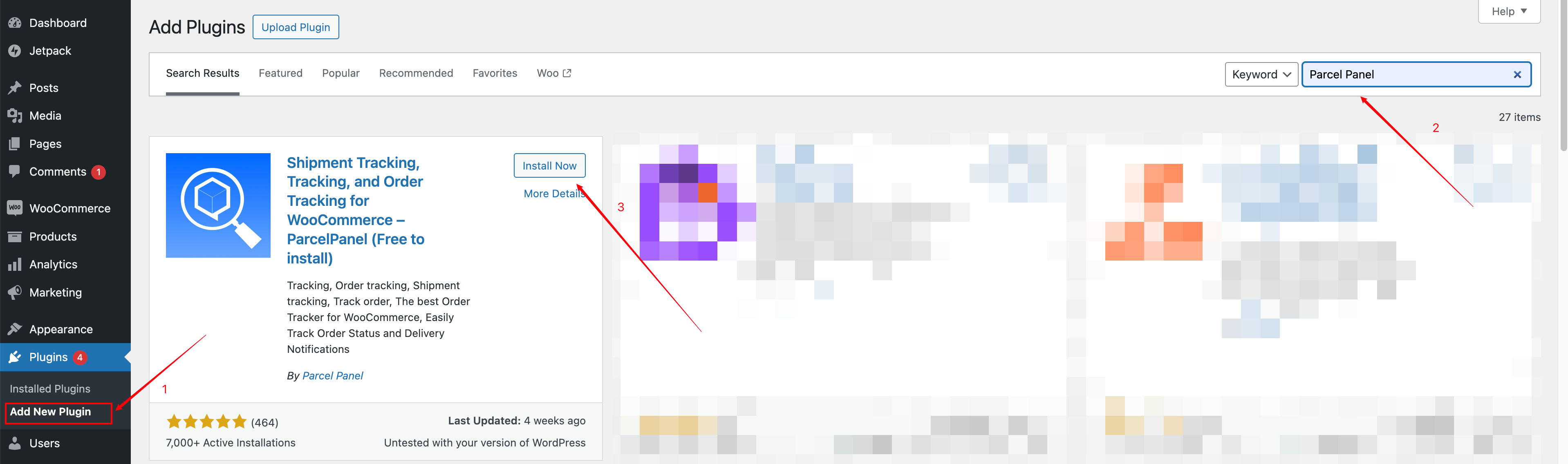
In your WordPress admin, go to Plugins → Add New, and Search for “ParcelWILL”.
Step 2
Install ParcelWILL once it appears
Step 3
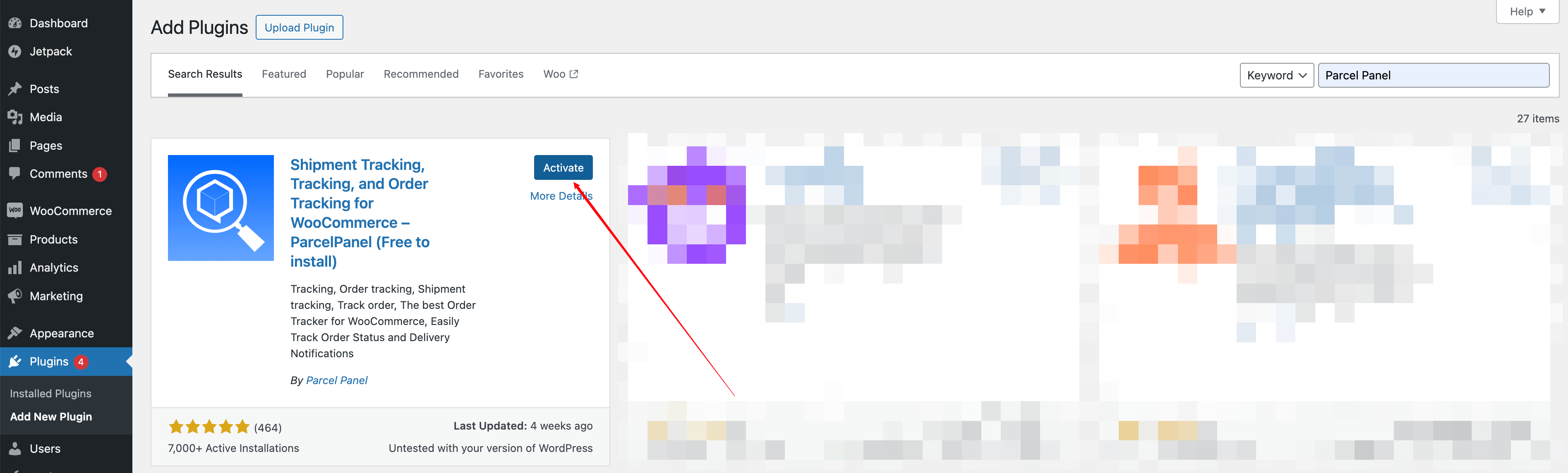
Activate ParcelWILL
2. The second way is to install ParcelWILL using a zip file:
Step 1
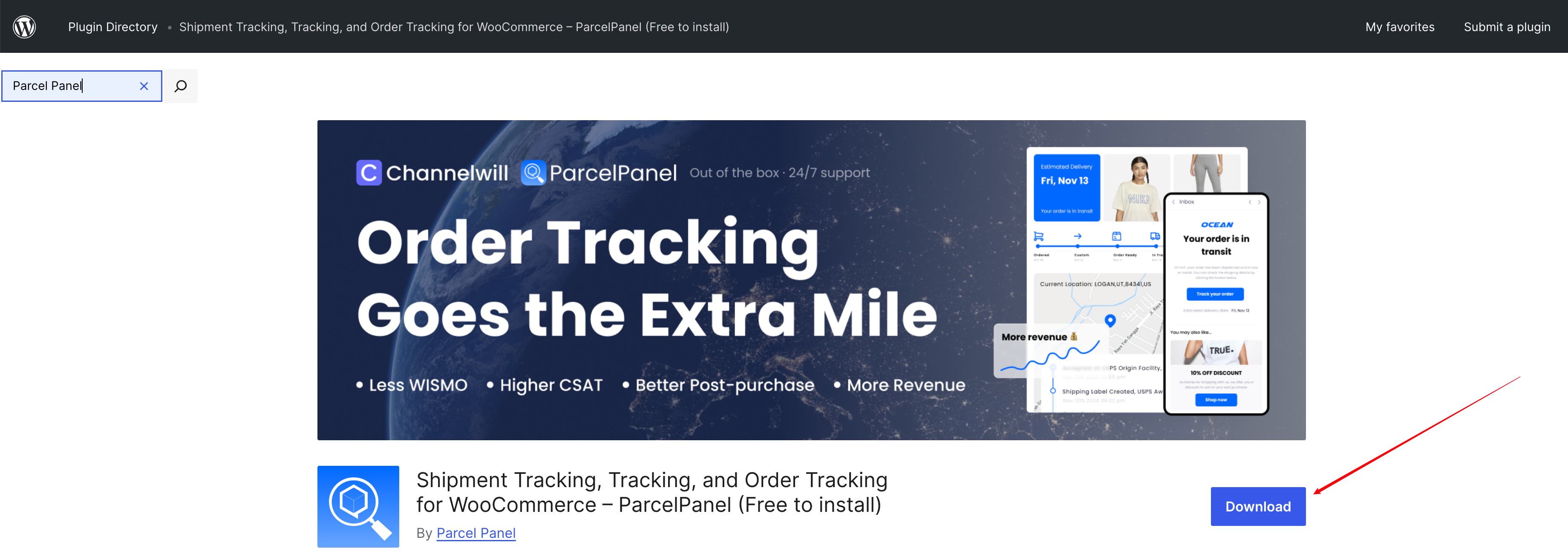
Go to WordPress Plugin Directory → Download Parcel Panel by clicking on the Download button at the plugin page on WordPress.org
Step 2
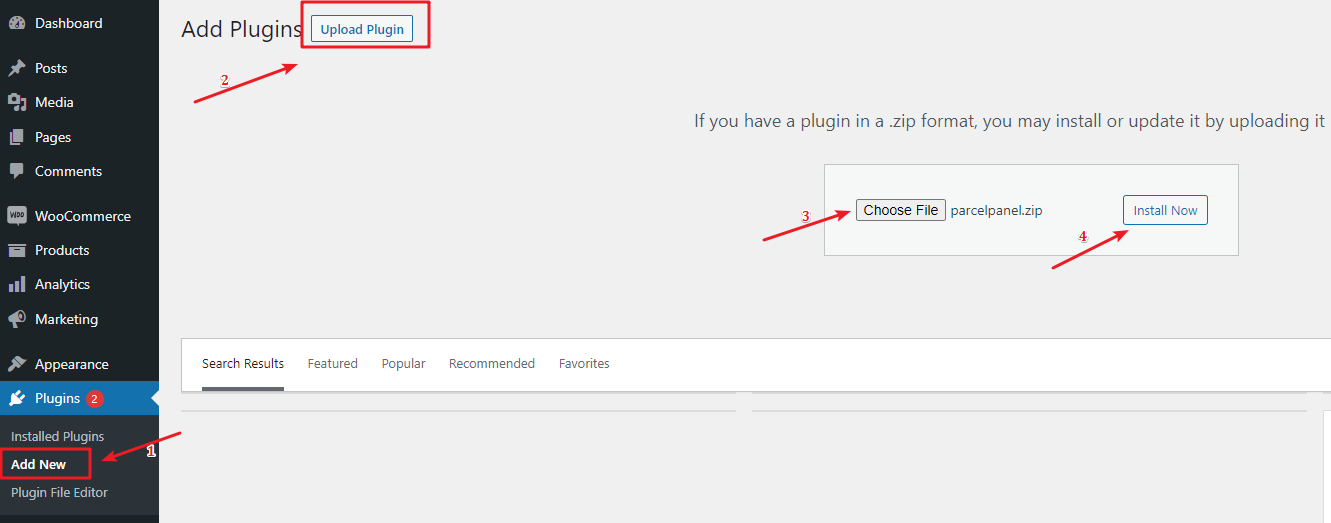
In your WordPress admin, go to Plugins → Add New, and then click Upload Plugin and choose the ParcelWILL zip file and activate it
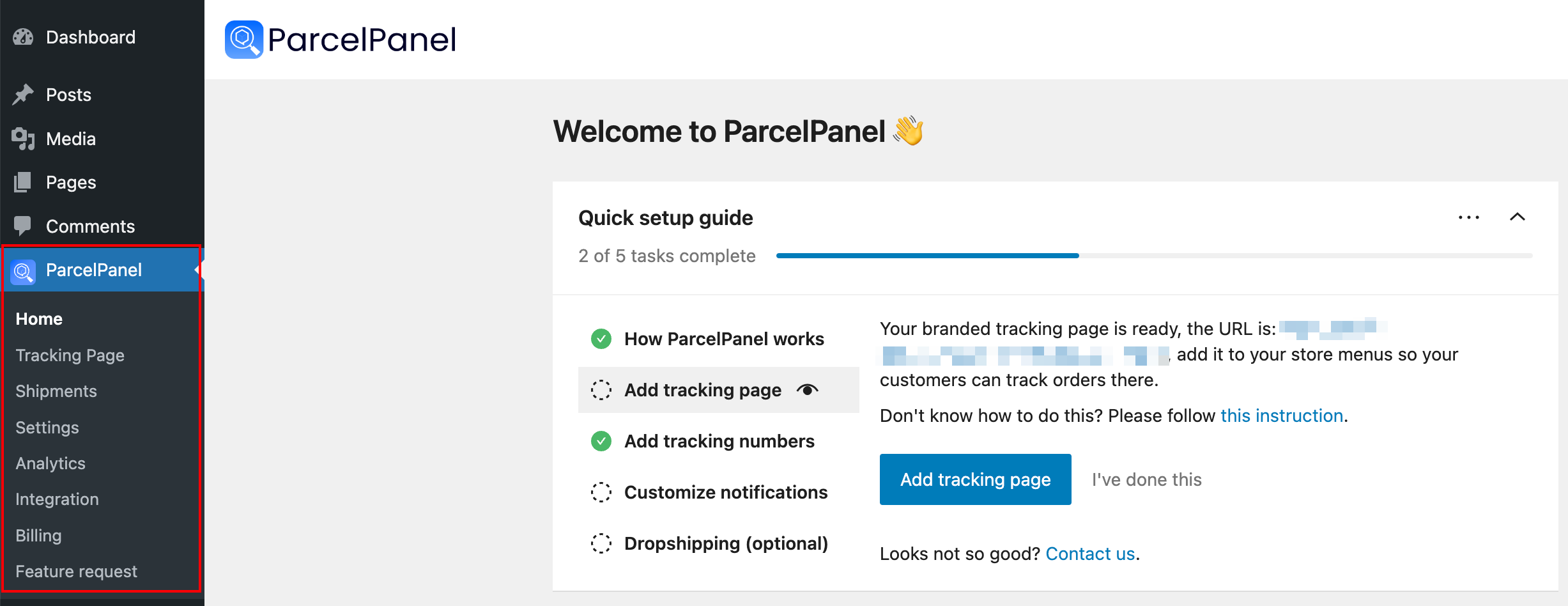
After installation, you can find ParcelWILL plugin under your WordPress admin.
Need help? Feel free to contact us via online chat or email, our world-class 24/7 support team is always here 🌻.